How do I update my payment details?Updated 2 months ago
You can update your card directly in your account -- no need to contact us.
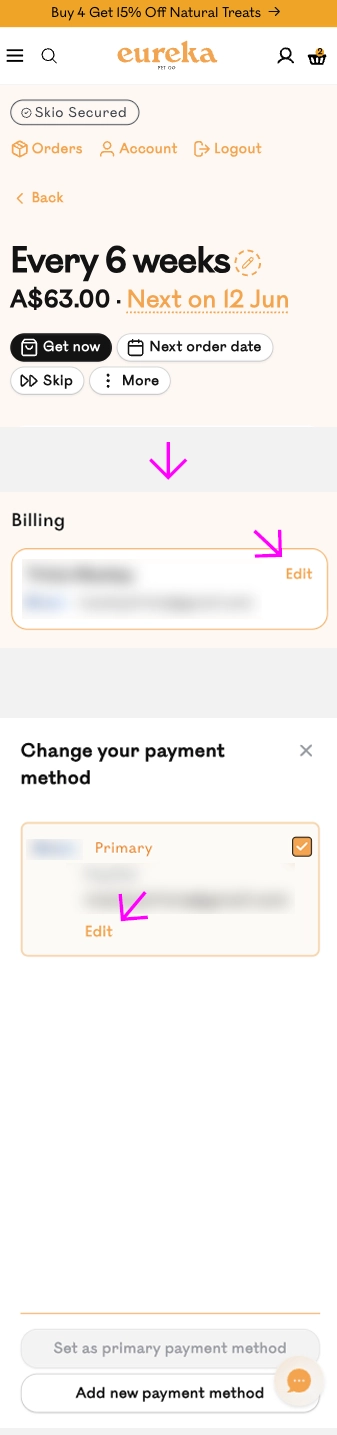
- Log in and open your subscription.
- Scroll to the Billing section at the bottom of the page.
- Tap the Edit link next to your payment method.
- Enter your new card details and save.
Your details are stored securely by Shopify -- we never see your full card number.
If you run into an error, try logging out and back in, then repeat the steps to generate a fresh edit link.
Still need help? Email us at [email protected]